
Managing your Organisation
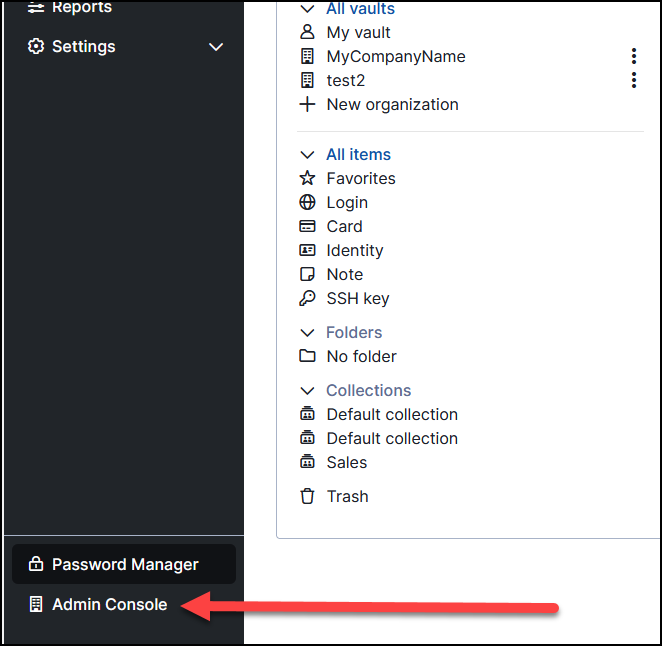
Now that you have created your Organisation(s), you can set about managing them. To do this, you need to change the "Admin Console" by clicking on the option in the bottom left of the portal.
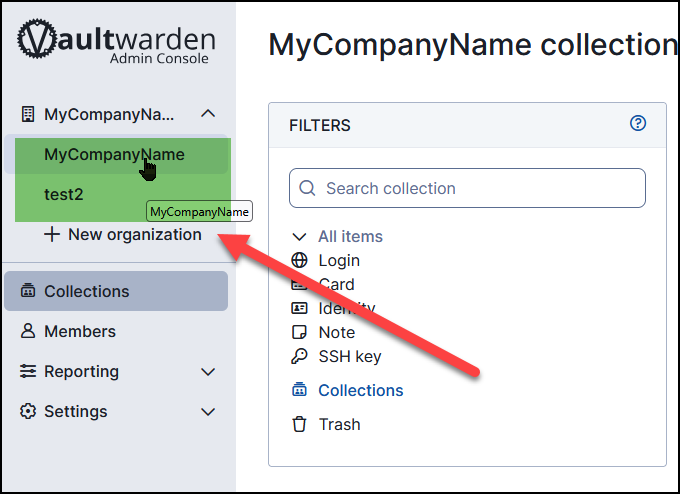
Once in the Admin Console, select the organisation you want to manage (you may only have one). By clicking your organisation name in the top right, a dropdown will appear, allowing you to switch to the organisation you wish to manage.
No Comments